How the VTT export works
- Add artwork. Import PNG, JPG or WebP files and select a portrait to edit.
- Set the creature size. Open Setup and choose 0.5″, 1″, 2″, 3″ or 4″. The Roll20 and Foundry presets use that size when choosing output dimensions.
- Finish the token. Use Artwork, Frame and Light controls. The exported PNG includes the current crop, frame and lighting with transparent outer corners.
- Choose one or many. Use the download icon beside the Inspector for the selected token, or Export Collection to download all tokens as a ZIP.
- Select a preset. Choose Roll20, Foundry or fixed 1024 × 1024 output.
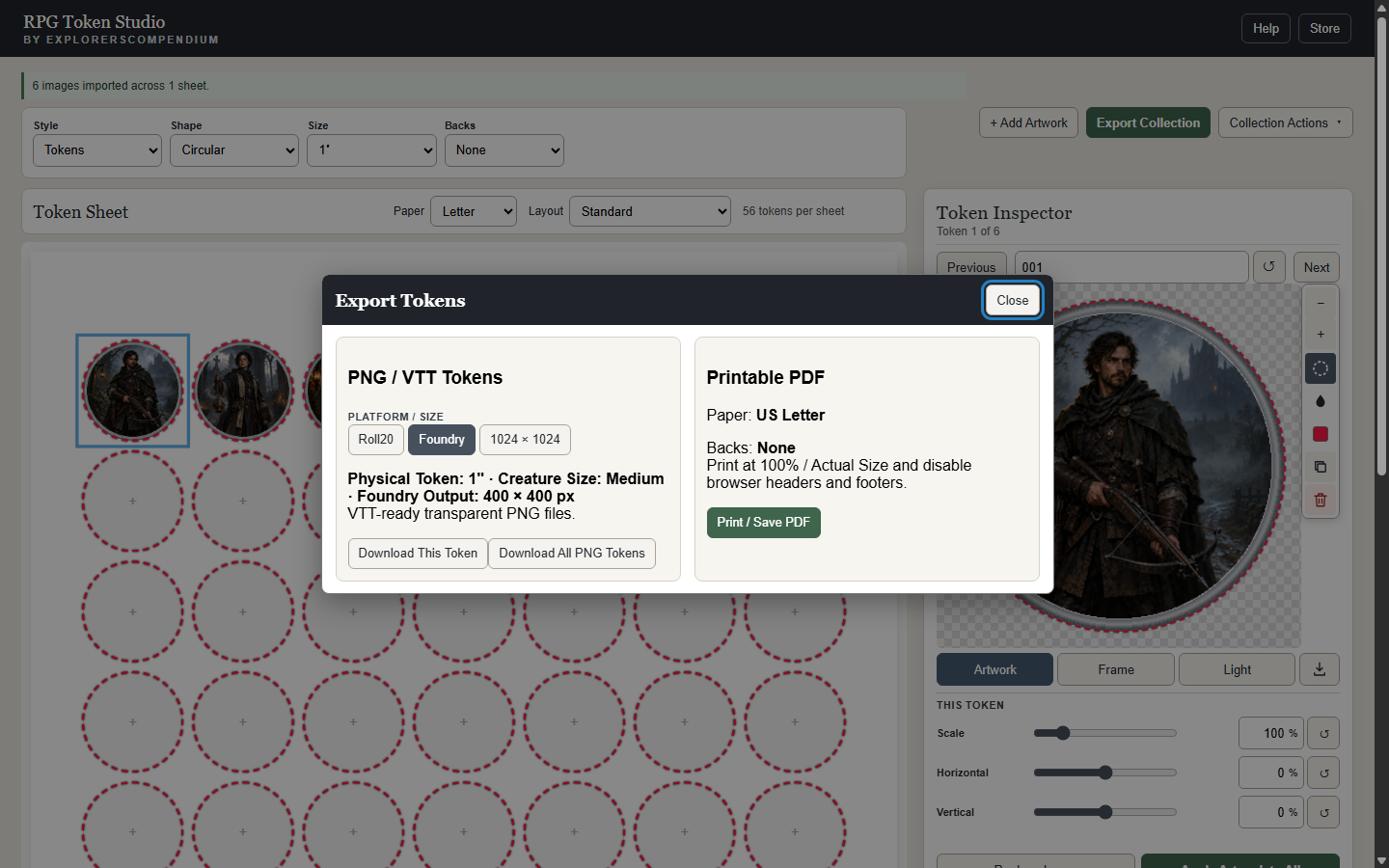
Roll20 and Foundry token dimensions
The presets scale with the creature size selected in Setup. Medium and Small share the one-inch size.
| Creature size | Roll20 preset | Foundry preset |
|---|---|---|
| Tiny (0.5″) | 140 × 140 px | 200 × 200 px |
| Medium / Small (1″) | 280 × 280 px | 400 × 400 px |
| Large (2″) | 560 × 560 px | 800 × 800 px |
| Huge (3″) | 840 × 840 px | 1200 × 1200 px |
| Gargantuan (4″) | 1120 × 1120 px | 1600 × 1600 px |
Need one consistent resolution? The 1024 × 1024 option ignores creature size and exports every selected token at the same high resolution.
Using the PNGs in your VTT
RPG Token Studio creates the files; it does not install them into Roll20 or Foundry. Download the PNG or ZIP, then upload those files through your VTT’s normal asset or token workflow. Keep the filenames if you want an easy match to supplied collection settings.
Batch token maker workflow
Add multiple images at once, apply shared Frame or Light settings where useful, then adjust individual crops. Export Collection produces the selected VTT preset for the entire collection in one batch.